
Yes, you can connect a soundbar to a TV without HDMI ARC. If both devices have optical ports, connect the TV’s Optical Out to the soundbar’s Optical In. Select optical audio on both devices. If you get no sound, try PCM or Stereo in the TV’s digital audio settings.
A regular HDMI input on a TV does not provide the audio-return function of ARC. Before buying an adapter, check three things: the TV’s audio outputs, the soundbar’s inputs, and whether you watch built-in TV apps or an external streaming device.
As an Amazon Associate I earn from qualifying purchases. Product examples below are based on published specifications and setup instructions, not hands-on testing.
Choose a connection by matching the ports
Start with the labels on the back or side of each device. You need an output on the TV and an input on the soundbar. Two sockets with the same shape are not necessarily a usable connection.
| TV output | Soundbar input | Connection to use | Main limitation |
|---|---|---|---|
| Optical / Digital Audio Out | Optical In | TOSLINK optical cable | No HDMI-CEC control through the optical cable |
| Headphone / 3.5 mm Audio Out | AUX / Line In | 3.5 mm stereo cable | Analog stereo; volume behavior varies |
| Red and white Audio Out | RCA or AUX In | Stereo RCA cable, or RCA-to-3.5 mm cable | TV sockets must be outputs |
| Bluetooth audio output | Bluetooth audio receiver | Wireless pairing | Possible lip-sync delay; model-dependent support |
| Optical Out | AUX / RCA only | Powered optical-to-analog converter plus cables | Check direction and supported audio format |
| No usable audio output | HDMI In, optical or AUX | Route an external source through a compatible soundbar or extractor | Does not recover audio from the TV’s built-in apps |
Optical is usually the simplest wired route when both devices support it. Sony’s TV compatibility guidance also identifies optical as an alternative when ARC is unavailable.
How to connect the soundbar using an optical cable
- Turn down the volume and switch off the devices before connecting cables.
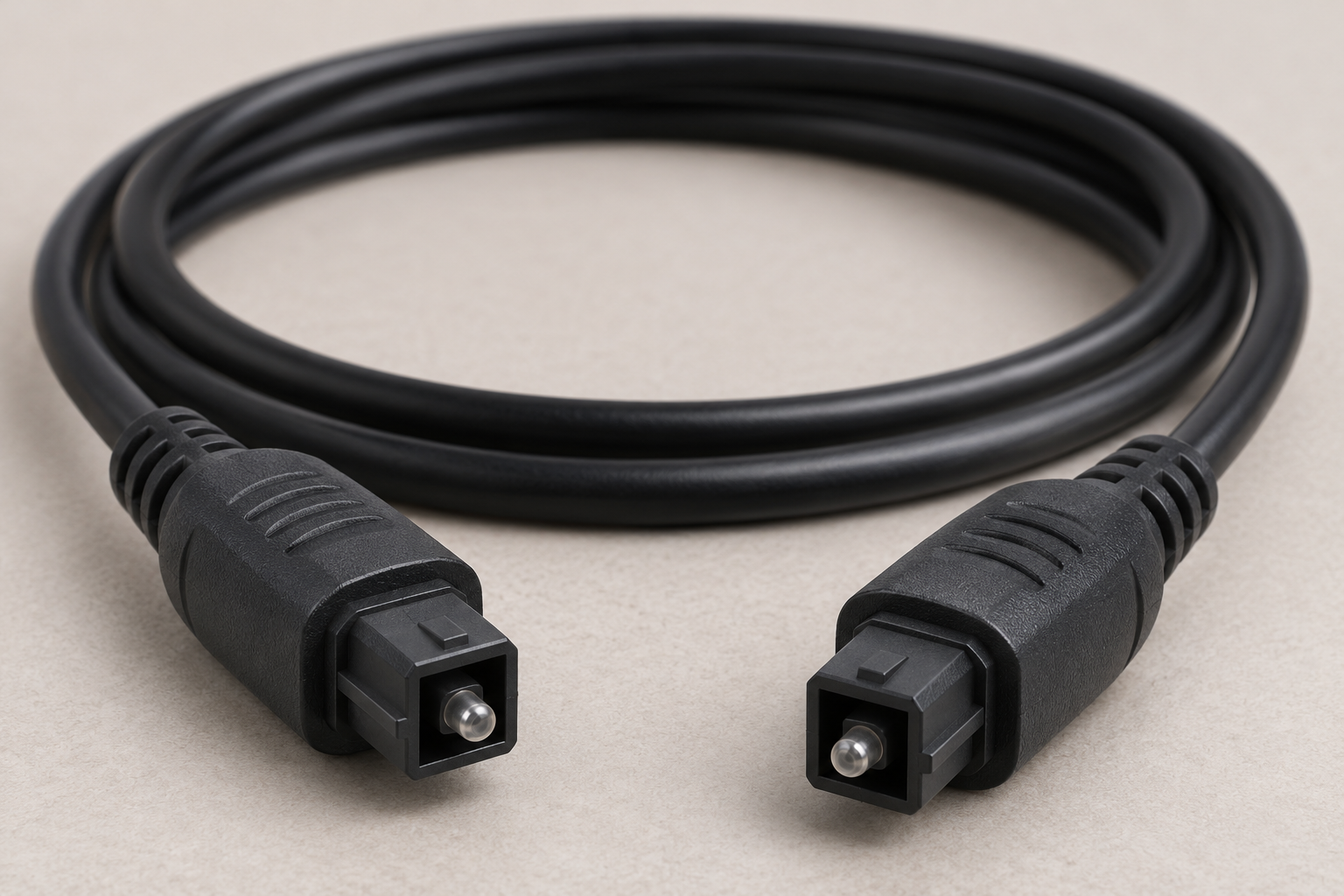
- Remove any small protective caps from the optical cable ends. Align each plug with its socket; do not force it.
- Connect the TV’s Optical Out to the soundbar’s Optical In.
- Turn on both devices and select the soundbar’s optical input. Its name may be Optical, OPT, D.IN or TV.
- Open the TV’s sound menu and select Optical, Digital Audio Out, External Speakers or the equivalent output.
- Play a familiar program at a low volume. If there is no sound, set Digital Audio Output Format to PCM or Stereo and test again.
Optical signal path
TV: Optical Out → TOSLINK cable → Soundbar: Optical In
Samsung’s soundbar setup instructions explain the optical connection and input selection. Menu names vary by model, so use your exact TV and soundbar manuals if the labels differ.
Should the TV be set to PCM or Dolby Digital?
PCM is a useful compatibility setting for a stereo setup or a silent optical connection. On many TVs, the PCM output option sends two-channel audio. A soundbar that accepts Dolby Digital may also receive compatible compressed surround audio over optical, provided the TV and source support that output.
Use the format your complete setup accepts. Do not assume PCM always means stereo on every connection, or that choosing Dolby automatically improves sound. Samsung’s audio-format guide describes its TV output choices; other brands and models can behave differently.
What if the TV has no optical output?
Use a headphone or analog audio output
If the TV has a headphone jack and the soundbar has AUX In, connect them with a stereo 3.5 mm cable. If the TV has red and white RCA sockets labeled Audio Out, use matching RCA inputs or an RCA-to-3.5 mm cable.
Red and white sockets labeled AV In or Audio In receive sound; they do not send TV sound out. Also check whether the TV’s output level is fixed or adjustable. Begin with low volume on both devices and raise it gradually. An adjustable headphone output and the soundbar’s own volume control may both affect the final level.
Use Bluetooth when both devices support TV audio
Put the soundbar into pairing mode, open the TV’s Bluetooth speaker or audio-output menu, and select the bar. Having Bluetooth for a remote or keyboard does not establish that a TV can transmit program audio.
Test a close-up conversation before settling on this route. If voices do not match lip movements, try a wired connection if one is available. Check your manuals for supported Bluetooth audio connections rather than assuming any two Bluetooth devices will pair for TV sound. Manufacturer setup guidance, such as Samsung’s connection guide, separates wired and wireless options.
Will an adapter or HDMI audio extractor solve the problem?
Sometimes—but the device must match the direction and type of signal you have. A cable that fits is only one part of compatibility.
Optical TV output to an AUX-only soundbar
This requires a powered digital-to-analog converter, often called a DAC: optical input on one side, analog RCA or 3.5 mm output on the other. An analog-to-digital converter works in the opposite direction.
Check the converter’s manual for supported formats. Many basic units require two-channel PCM and cannot decode Dolby or DTS. J-Tech Digital’s converter guide explains how an optical converter differs from an HDMI extractor.
External streaming box or console to a TV with no audio output
If your soundbar has a separate HDMI In and HDMI Out for video passthrough, you may be able to connect the source to the bar, then the bar to a regular HDMI input on the TV. Confirm that the soundbar passes the resolution, HDR format and refresh rate you use.
Otherwise, a compatible HDMI audio extractor can separate sound from an external source before its video reaches the TV.
External-source signal path
Streaming box / console → Extractor HDMI In
Extractor HDMI Out → TV HDMI In (video)
Extractor Optical / Analog Out → matching soundbar input (audio)
An ARC-only HDMI socket on a soundbar is not the same as a normal HDMI input. If the bar accepts only ARC/eARC, a basic extractor with optical or ordinary HDMI output may be unsuitable. Check for explicit support for your soundbar connection, not just “HDMI audio” on the box.
OREI’s selection guide distinguishes TV-app audio from external-source audio. Before ordering, verify inputs, outputs, power requirements, audio formats, HDCP support, resolution, HDR and any gaming features you need. A standard HDMI input cannot gain ARC through a passive cable.
No sound, echo or delay? Check these first
| Problem | First check | Next step |
|---|---|---|
| No sound over optical | Correct TV output and soundbar input; cable caps removed | Try PCM/Stereo, reseat the cable, then test another program |
| One app or device is silent | That source’s audio format | Compare a built-in TV app with an external source |
| Echo or doubled voices | Whether TV speakers and soundbar play together | Use the TV’s external-speaker output setting |
| TV remote will not adjust volume | Whether you are using optical | Use the bar’s remote; check for infrared learning |
| Bluetooth sound arrives late | Whether the same program is in sync on a wired connection | Use the wired route or consult model-specific sync guidance |
| Extractor works with a box but not TV apps | Where the audio originates | Use a TV audio output, or run the app on the external box |
Change one setting at a time and replay the same short scene. If you use an audio-delay control, first determine whether sound is early or late: adding delay cannot fix sound that already arrives too late. Avoid a factory reset as your first step; record your settings before following any model-specific reset instructions.
What to check before buying a soundbar for an older TV
Choose the connection first. Then compare size, controls, audio formats and included cables. An optical input is particularly useful if your TV has Optical Out but no ARC.
- For a conventional optical setup: the original Bose TV Speaker supports optical input. Its owner’s guide also documents learning volume commands from a compatible infrared remote. Check the exact generation before ordering.
- For streaming plus TV audio: the Roku Streambar SE uses HDMI plus optical when the TV lacks ARC, and requires PCM-Stereo for TV audio. That is a model-specific setup, not evidence that any soundbar works through an ordinary TV HDMI input. See Roku’s setup guide.
These examples illustrate compatibility, not listening-test rankings. Compare the connections on our soundbar list once you know your TV’s outputs. Use the dated selection notes on that page and verify the exact retailer model before buying.
If you also listen to music and have room for two cabinets, explore powered and passive bookshelf speaker options. Powered speakers include amplification; passive pairs need a suitable amplifier or receiver. Our soundbar-versus-speakers guide explains the broader setup choices.
Frequently asked questions
Can I connect a soundbar to a normal HDMI port?
A normal TV HDMI input does not return TV sound like ARC. An external source can feed a soundbar’s dedicated HDMI input if the bar supports video passthrough. Those are different signal paths.
Can optical carry Dolby Atmos?
Optical is not a Dolby Atmos connection. Compatible optical setups can carry stereo PCM or supported compressed surround formats. For higher-bandwidth return audio, HDMI’s eARC overview explains the capabilities of eARC; both devices and the content must support the desired format.
Can I use the TV remote with an optical soundbar?
Optical does not carry HDMI-CEC commands. Some soundbars can learn compatible infrared volume commands separately, so check the bar’s manual. Otherwise, use its supplied remote.
Can a USB cable replace HDMI ARC?
Do not assume so. A USB port may serve power, updates or media playback. Use USB for TV audio only if both manuals explicitly support that connection.
What if my TV has neither ARC nor optical?
Look for a headphone output, analog Audio Out or Bluetooth audio transmission. If none is available, consider an external-source setup with compatible equipment. It will not automatically reproduce sound from the TV’s tuner or built-in apps.
Your next step: photograph the TV and soundbar port labels, find their exact model numbers, and match an output to an input before spending money. If optical is available on both, start there.
Research basis: manufacturer setup instructions and published connection specifications checked November 13, 2026. No hands-on product testing or audio measurements are claimed.